A quick look at My Links.
A visual snapshot of the app and what it brings together across iPhone and Mac.
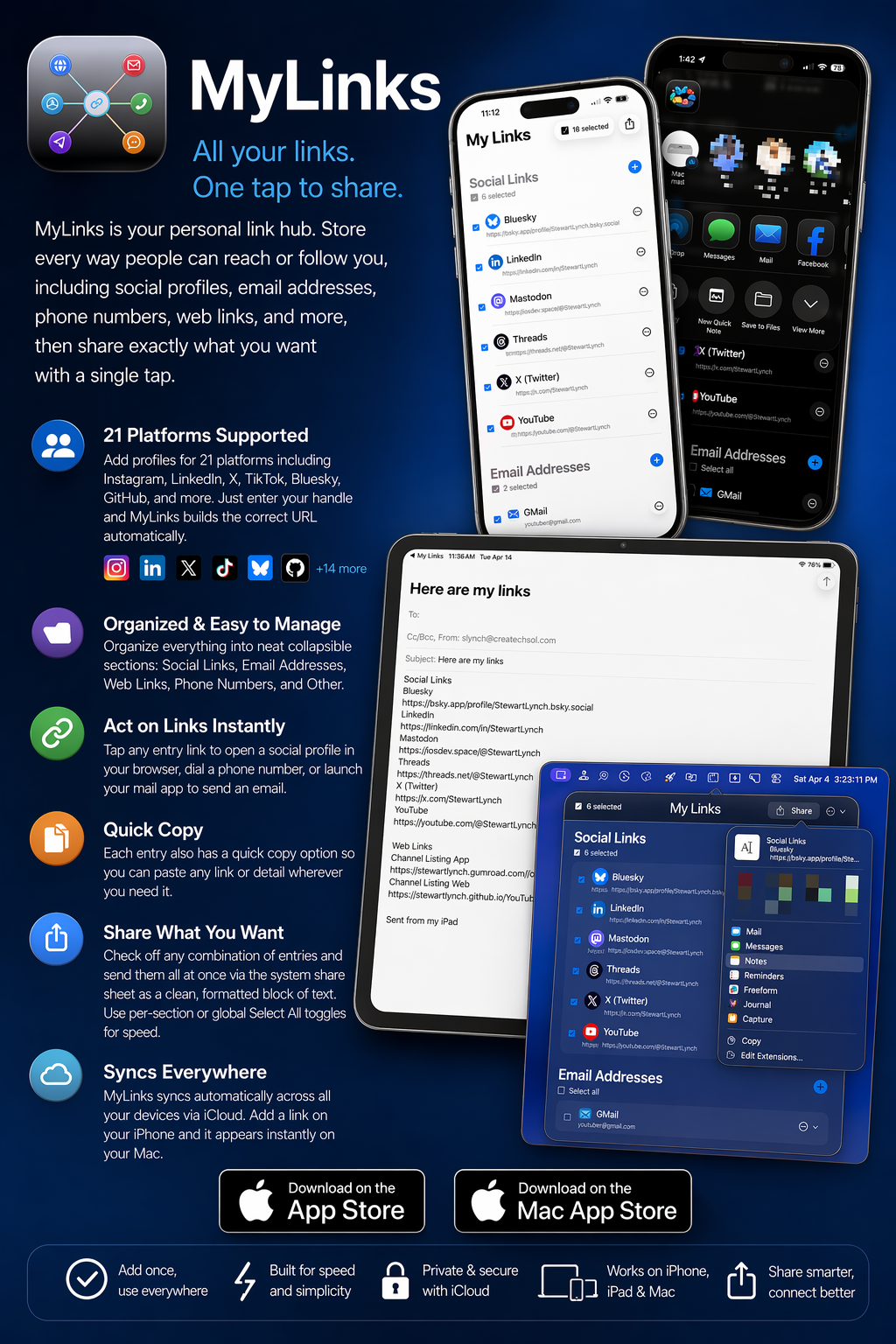
Store every way people can reach or follow you, then share exactly what you want with a single tap. No fuss, no formatting, no hunting around.
Available for iPhone and Mac • Requires iCloud for cross-device sync • All data stored locally and privately
A visual snapshot of the app and what it brings together across iPhone and Mac.
Features
My Links keeps all your contact details and social profiles organized and instantly shareable, without any of the clutter.
Add profiles for Instagram, LinkedIn, X, TikTok, Bluesky, GitHub, and 15 more. Just enter your handle and My Links builds the correct URL automatically.
Check off any combination of entries and share them all at once as a clean, formatted block of text via the system share sheet.
Every entry has a one-tap copy option so you can instantly paste any link, number, or address exactly where you need it.
Store multiple email addresses, phone numbers with region codes, and named web links. Tap any entry to open your mail app, dial a number, or launch a browser.
Not everything fits a neat category. Free-form "Other" entries let you store any text you want to keep handy and share alongside everything else.
Add a link on your iPhone and it appears instantly on your Mac. Powered by CloudKit, your data stays in sync entirely within your own iCloud account.
Platforms
Two native apps, one seamless experience. Whether you are on your phone or at your desk, My Links is right there.
A clean, fast list view that puts all your entries a tap away. Check off what you want to share and hit the share button. Selections reset automatically when you come back to the app so you always start fresh.
iOS 26+ SwiftUI iCloud SyncLives quietly in your menu bar. Click the icon to open a clean popover, grab what you need, and get back to work. Supports Launch at Login so it is always ready the moment you sit down.
macOS 26+ Menu Bar Launch at LoginiCloud Sync
My Links uses Apple's CloudKit to keep your iPhone and Mac perfectly in sync. Your data lives entirely within your personal iCloud account. We never see it, never touch it, never store it on our servers.
Supported Networks
All the platforms
that matter to you.
Support for 21 social platforms, with automatic URL building from your handle. No copying and pasting long URLs.